
One Integration, Two Engines AstraReports lets you run reports against your Acumatica data using two different engines: SAP Crystal Reports and Microsoft Power BI. They are not competing products you have to choose between once and for all — they are two outputs of the same integration. Both read from Acumatica Generic Inquiries, both are […]
From Connection to Report Once your Acumatica instance is connected to Power BI (see “Setting Up Power BI Integration with Acumatica”), building a report follows the same pattern you already know from Crystal Reports: you start from a Generic Inquiry as the data source and let AstraReports handle the plumbing. The difference is that you […]
Two Reporting Engines, One Data Source AstraReports now supports two reporting engines inside Acumatica: SAP Crystal Reports and Microsoft Power BI. Both run against the same Acumatica data through Pixis Generic Inquiries, so the choice of engine is about the kind of output you want, not a different way of connecting to your ERP. Crystal […]
Master all export formats available in AstraReports: PDF, Excel, Word, CSV, and XML. Learn when to use each format and how to export directly from your reports.
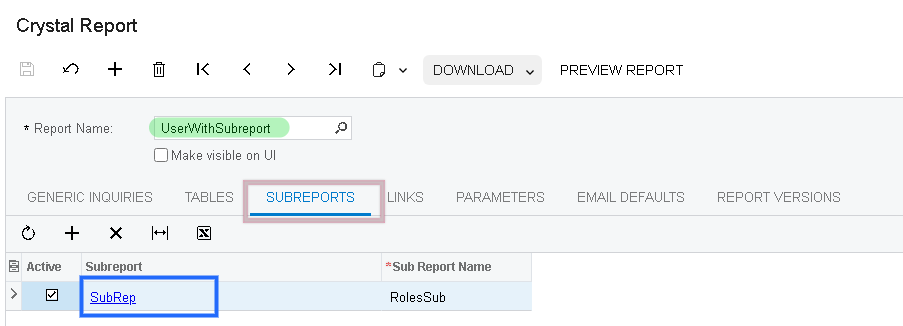
Improve AstraReports performance for large Acumatica datasets using parameters, query optimization, and report design best practices.
If you’re implementing or upgrading an Acumatica system, you’ll eventually face the question: which reporting tool should we use? Acumatica has a robust reporting ecosystem, and the three most popular third-party options are AstraReports, Velixo, and DataSelf. Each has strengths and is suited to different use cases. This guide compares these tools to help you […]
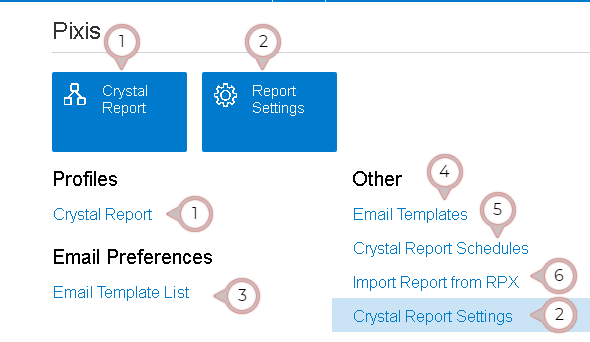
Tour the AstraReports interface in Acumatica. Learn where Crystal Reports, settings, email templates, schedules, and RPX import all live, with screenshots.
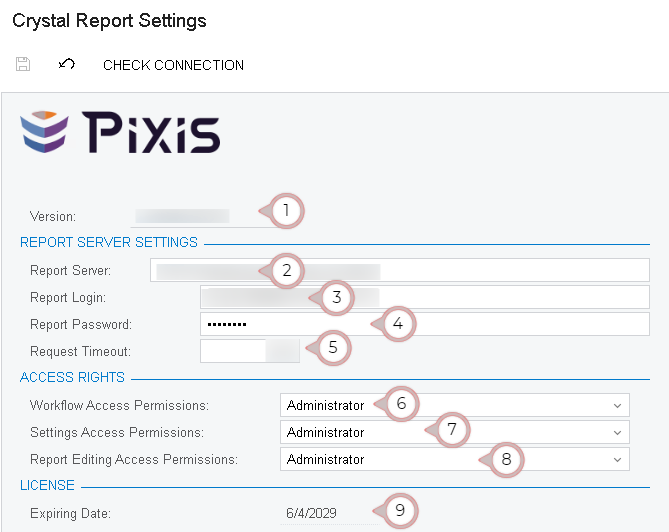
Step-by-step guide to installing the Pixis Extension and configuring AstraReports in Acumatica. Setup report server, permissions, and more.
Effective inventory management is crucial for any manufacturing or distribution business. In Acumatica, the inventory module tracks stock levels, warehouse locations, and movement history. However, having access to this raw data isn’t enough—you need clear, actionable reports that help you understand your inventory performance at a glance. AstraReports gives you the power to create sophisticated […]
Understanding Acumatica’s Native Reporting Capabilities Acumatica comes with built-in reporting functionality that covers many common accounting and business scenarios. The native Acumatica reporting system provides pre-configured reports for accounts payable, accounts receivable, general ledger, inventory, and other core modules. These reports are tightly integrated with Acumatica, require no additional configuration, and are fully supported by […]
- 1
- 2